Event Check-In Staffing: How Many People You Need at the Door
ScanSync Team · · 7 min read
Event check-in staffing is one of those decisions that feels like guesswork until doors open and a line forms down the street. The good news is that you can get a solid estimate with a little arithmetic and a few honest assumptions. In this guide you will learn how to estimate your peak arrival rate, convert it into the number of scanners you need, assign clear roles at the door, and plan breaks and backups so the line keeps moving from the first guest to the last.
Why the busiest window matters more than the total
Most events do not see a steady trickle of people. Arrivals bunch up: a rush right at the published start time, a smaller wave when a keynote or headline act is about to begin, and a long, quiet tail. If you staff for the average, you will be overstaffed for most of the night and badly understaffed for the 20 minutes that people actually remember.
So the first job is to sketch an arrival curve. You do not need perfect data. Ask yourself:
- When do doors open, and when does the main program start?
- Is there a reason to arrive early (free drinks, limited seating, swag)?
- Did a previous edition of this event have check-in times you can export?
- Are people arriving by shuttle, train, or in large groups that land all at once?
A useful rule of thumb is to assume a large share of your expected guests will arrive in the window just before the main start time, and plan for that window. If you ran the event before, your post-event attendance report is the best source for this, because it shows check-ins over time rather than a single total.
A worked example: from arrival rate to scanner count
Here is a worked example with made-up but realistic numbers. Swap in your own.
- Expected attendance: 400 people.
- Peak window assumption: you expect about 240 of them to arrive in the 30 minutes before the program starts.
- Peak arrival rate: 240 people ÷ 30 minutes = 8 people per minute.
- Time per check-in: you timed a rehearsal and one scan, including a quick hello, takes about 6 seconds. In theory that is 10 people per minute per scanner.
- Realistic capacity: nobody works at 100% for half an hour. People fumble for phones, ask where the cloakroom is, or need their name looked up. Planning each scanner at roughly 70% of the theoretical rate gives 7 people per minute per scanner.
- Scanners needed: 8 ÷ 7 ≈ 1.14, so round up to 2 scanners, plus one person for problems.
The rounding-up step is important. Queueing theory tells us that when a server is close to fully busy, waiting times grow very quickly, so a little spare capacity buys a lot of calm.
Using Little's law to sanity-check the line
Little's law is a simple relationship: the average number of people in a queue equals the arrival rate multiplied by the average time each person spends waiting. Written short: L = λ × W.
Using the example above, if people arrive at 8 per minute and you are happy with an average wait of 2 minutes, you should expect about 16 people in line at any moment during the rush. Ask yourself whether your entrance has room for 16 people without blocking a footpath or fire exit. If not, you need more lanes, a longer arrival window, or both. Our list of tactics to reduce check-in lines covers ways to spread that peak out.
| Peak arrivals per minute | Scanners at ~7/min each | Plus problem desk | Total at door |
|---|---|---|---|
| 5 | 1 | 1 | 2 |
| 8 | 2 | 1 | 3 |
| 15 | 3 | 1 | 4 |
| 25 | 4 | 2 | 6 |
This table only applies the worked-example assumptions. Re-run the numbers with your own scan time.
Roles at the door
A door works best when every person knows exactly what they are responsible for. On small events one person may wear two hats, but the roles still exist.
- Scanners: scan codes, give a friendly greeting, and send guests on. They should not try to solve complicated problems in the main lane.
- Problem desk or lookup station: handles "I can't find my ticket," name changes, walk-ins, and duplicate-scan questions. This one role does more for line speed than any other.
- Greeter or line manager: walks the line, tells people to have their codes ready, and directs anyone with a problem straight to the lookup station.
- Door lead: makes judgment calls, watches the live numbers, and moves people between lanes as needed.
- Accessibility support: someone who can offer a step-free route, a seat, or a quieter lane when asked.
For larger events, also make sure your crowd plans line up with local safety guidance. The UK's HSE event safety pages are a helpful general reference for entrance and crowd planning.
Breaks, shifts, and backups
Scanning feels easy until the third hour. Build the rota before the day.
- Plan short breaks for anyone on the door longer than about two hours, timed for after the rush.
- Keep one backup person on call who has been briefed and has the app installed and logged in.
- Charge every device fully, and keep a power bank and spare cable at the problem desk.
- Write a one-page door brief: what a green, amber, and red result mean, how to handle a walk-in, and who to call.
- Decide in advance who can undo a scan or reset an attendee, so scanners know when to escalate.
If you are using phones as scanners, read our guide to using a phone as a ticket scanner for setup tips like screen brightness and keeping the app open.
Run a five-minute rehearsal
Before doors open, have every scanner check in two or three test attendees. This catches login problems, camera permissions, and confusion about what each result means. Time a few of these scans too. If your real scan time is slower than you assumed, you still have time to open another lane.
How ScanSync helps you staff the door
ScanSync is designed so the roles above map neatly onto permissions. Owners can invite staff and give each person access to all events or only chosen ones. A Scanner role can scan and look people up but never receives attendee emails, phone numbers, or addresses, which makes it easier to hand a phone to a volunteer. A Manager can import lists, watch the dashboard, undo scans, and adjust check-in limits, which suits a door lead.
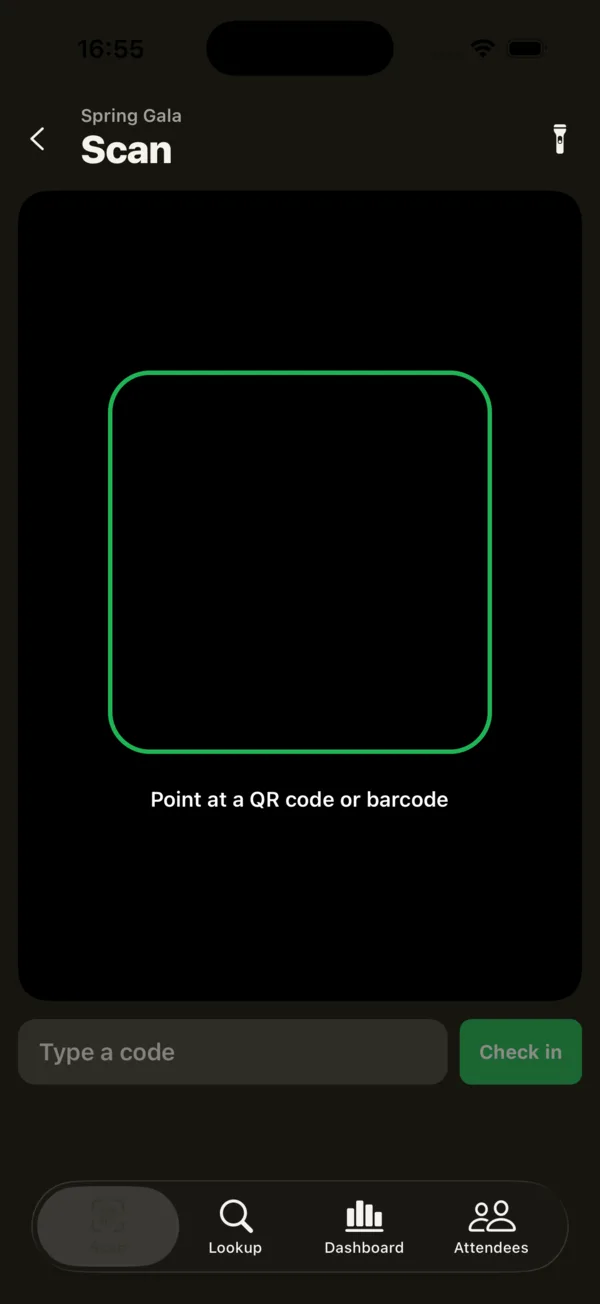 The Scan tab gives each scanner a camera, a torch, and a box to type a code.
The iPhone app shows a big green, amber, or red result with a vibration, so scanners can keep their eyes on guests. Lookup by name, email, code, or custom field values helps the problem desk. If the venue Wi-Fi drops, the app keeps working with the saved attendee list and sends queued check-ins once it reconnects. The web app also works with USB or Bluetooth barcode scanners for a fixed desk. Meanwhile the door lead can watch real-time attendance tracking on the live dashboard and see check-ins per 15 minutes, which is exactly the arrival curve you planned for.
Summary
Good event check-in staffing starts with your busiest window, not your total headcount. Estimate peak arrivals per minute, time a real scan, plan each scanner at well under their maximum, and round up. Separate quick scanning from problem-solving, give everyone a clear role, and schedule breaks and a backup before the day. A short rehearsal and a live view of arrivals let you adjust while it matters.
Next steps
Try your staffing plan on a real event: create a free account, import a test list, and time a few scans with your team. When you need more seats for staff, see pricing for the plan that fits.
Frequently asked questions
How many check-in staff do I need per 100 guests? +
There is no fixed ratio, because it depends on how bunched up arrivals are and how fast each scan is. Estimate your peak arrivals per minute, divide by what one scanner can comfortably handle, then add one person for problems and lookups.
How long does it take to scan one ticket? +
A clean QR code scan can take just a few seconds, but greetings, finding the ticket on a phone, and questions add time. Time a handful of real check-ins at a rehearsal or a previous event and use that average.
Should volunteers or paid staff run event check-in? +
Either can work well if they are briefed and the tools are simple. What matters most is a clear role for each person, a short practice run, and one experienced lead who can make decisions.
Check people in the simple way
Upload your list, scan at the door, and watch arrivals live. Free for your first event.